sys::irl_chat_v2.0 // active stream::connected // 1080p60

IRL+ Chat App

Professional Chat Management for IRL Streamers

Monitor, Moderate & Engage with Your Community, All From Your Android Device

Opens the open testing track on Google Play

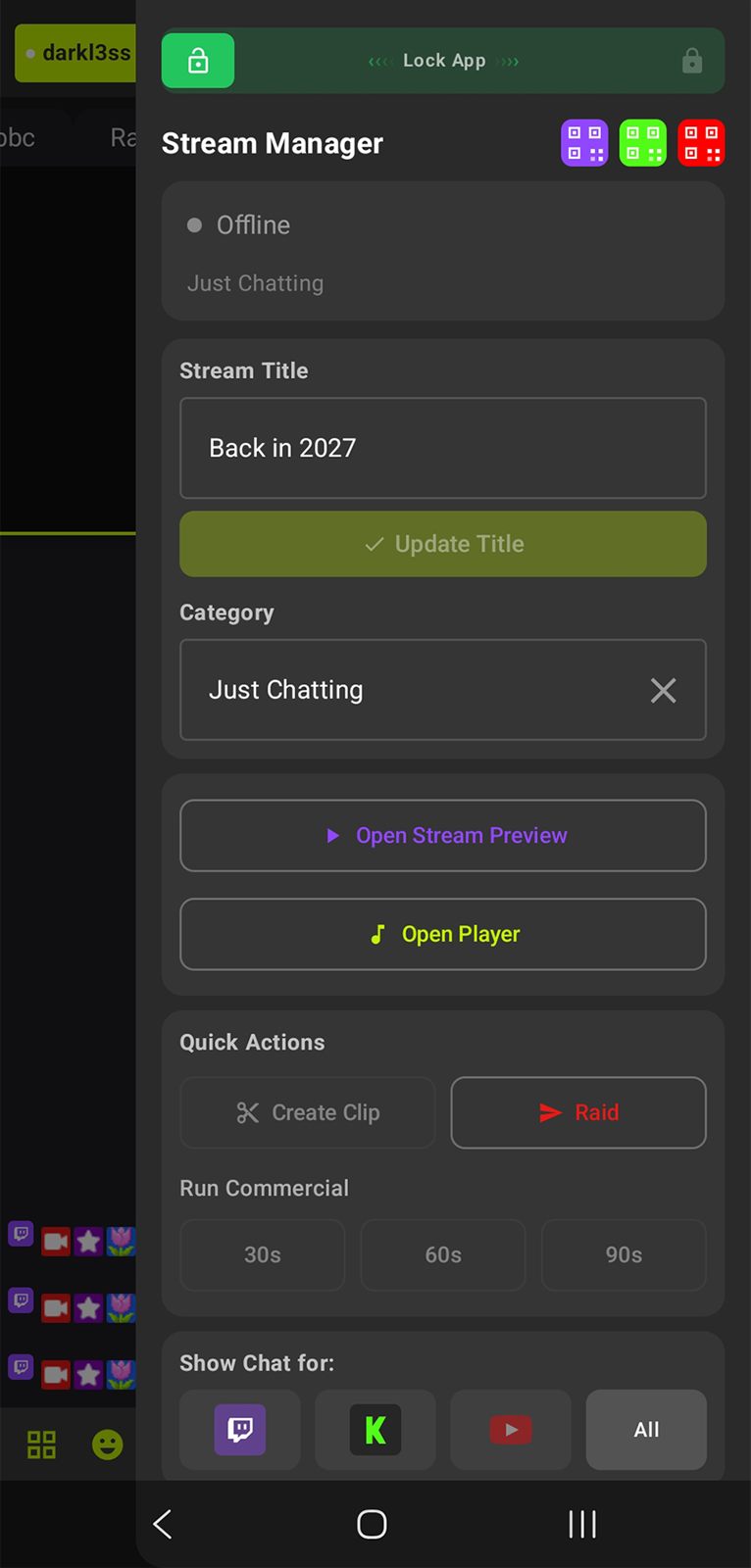
IRL+ Chat Stream Manager side panel
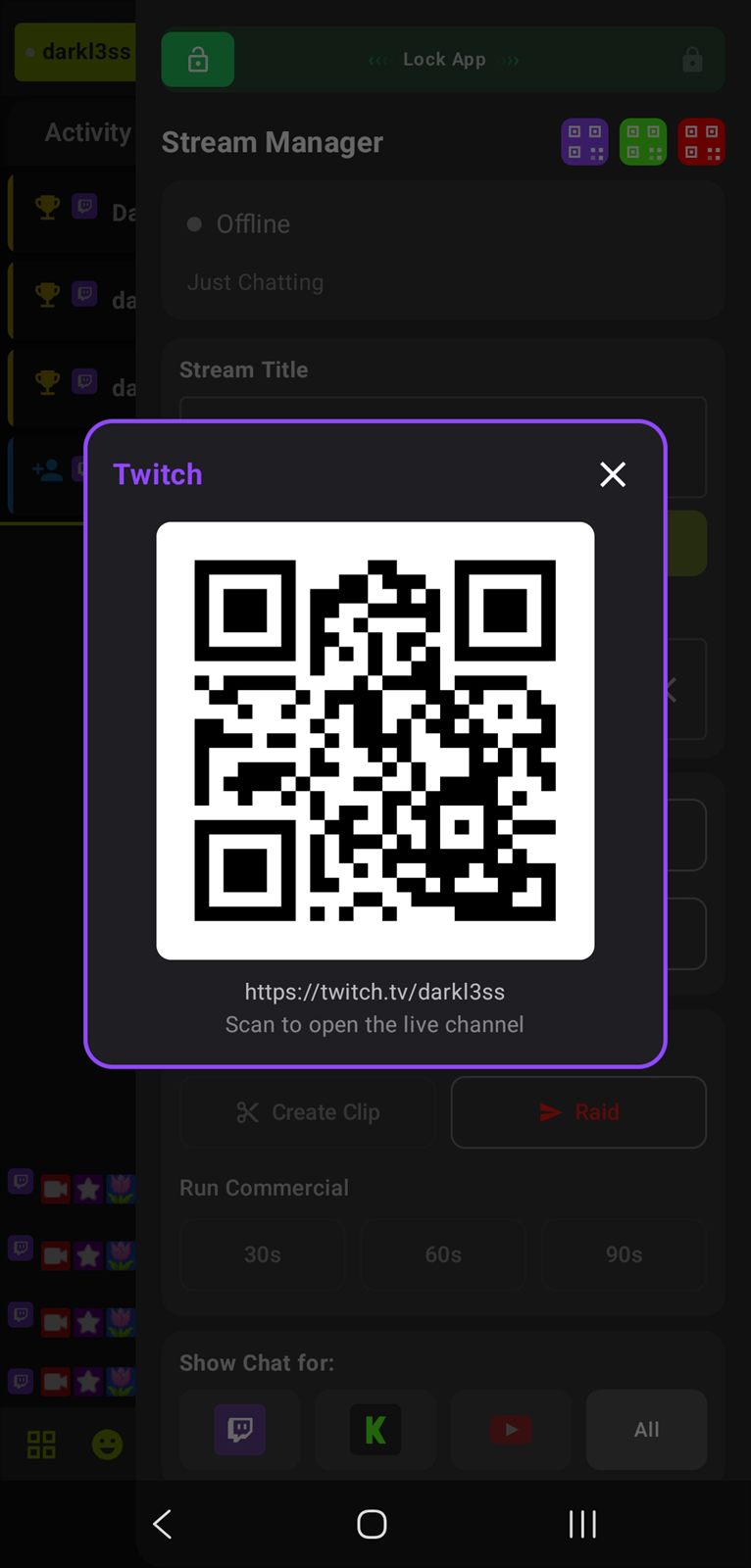
Platform QR code display for connecting accounts
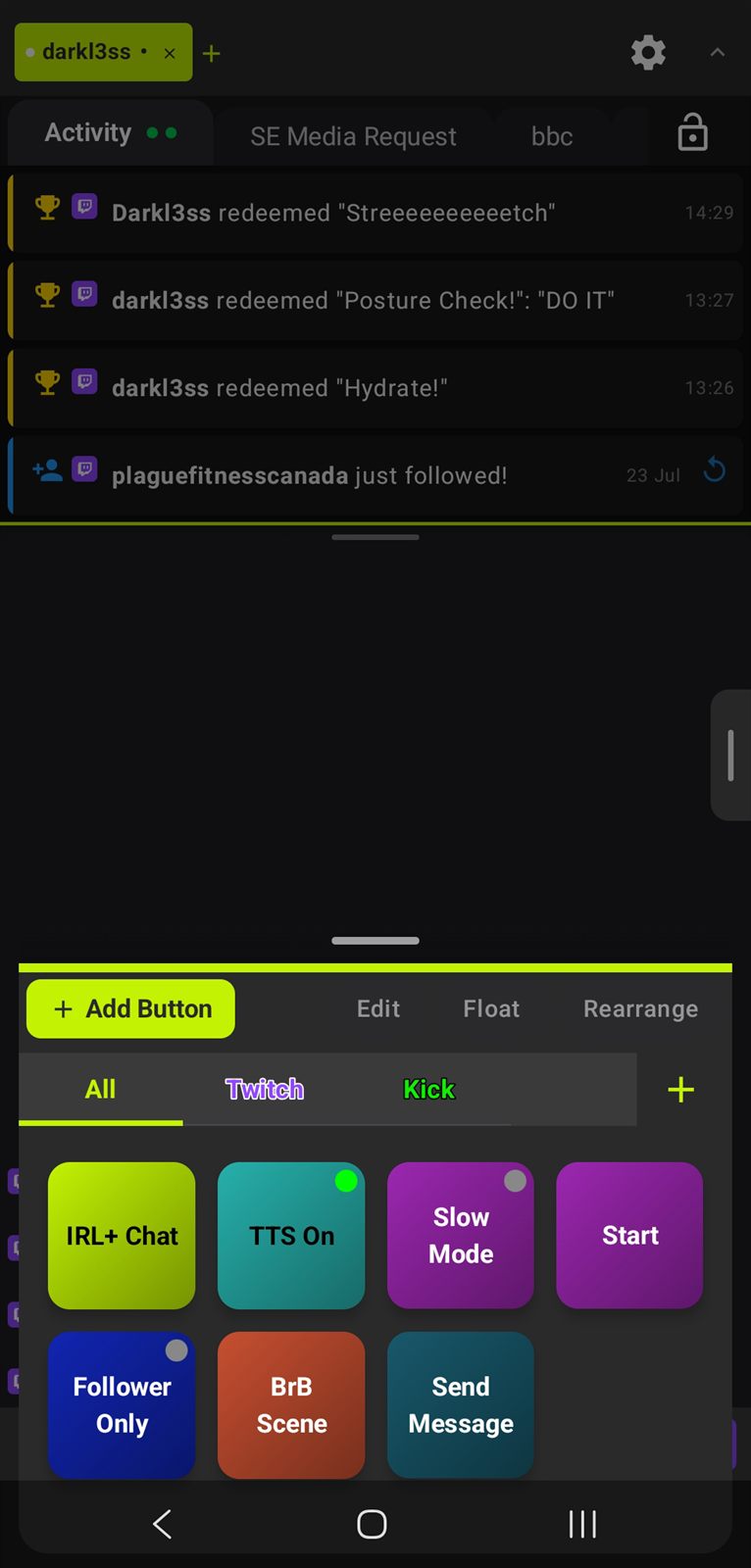
Action Buttons for OBS and chat control
Twitch Kick YouTube OBS WebSocket BTTV FrankerFaceZ 7TV StreamElements Browser Sources Twitch Alerts Android 8.0+ Text-to-Speech Multi-Channel Twitch Kick YouTube OBS WebSocket BTTV FrankerFaceZ 7TV StreamElements Browser Sources Twitch Alerts Android 8.0+ Text-to-Speech Multi-Channel

What is IRL+ Chat App?

A powerful native Android application designed for Twitch, Kick and YouTube streamers who need professional-grade chat management on the go.

Perfect for IRL Streamers

  • Monitor chat while streaming outdoors
  • Quick moderation with one-tap actions
  • Text-to-Speech for hands-free chat listening
  • Floating action buttons for OBS control
  • Multi-channel support for raid parties
  • Real-time viewer stats and stream uptime
  • Fully customisable with themes & settings export/import
Action Buttons for OBS and chat control

Core Features

Everything you need to manage your Twitch, Kick and YouTube chat professionally, all optimised for mobile use.

Real-Time Chat

IRC-based connection for instant message delivery with full emote support (Twitch, BTTV, FFZ, 7TV) and animated emotes.

  • Colour-coded usernames
  • User badges (subscriber, mod, VIP)
  • Timestamps for every message
  • Clickable URLs

Advanced Moderation

Long-press any message for instant moderation options. Timeout, ban, delete and shoutout apply to Twitch chat.

  • Delete individual messages
  • Timeout users
  • Permanent bans
  • Clear entire chat
  • Automatic broadcaster permissions

Text-to-Speech

Hear your chat without looking at your phone. Perfect for IRL streaming.

  • Channel-specific or all-channels mode
  • Customisable voice selection
  • A different voice per platform
  • Per-platform toggles for Twitch, Kick and YouTube
  • Smart filtering (bots, commands, URLs)
  • Queue management (5-20 messages)
  • Audio ducking support

Message Highlighting

Never miss important messages with customisable highlighting.

  • Username highlighting (bots, VIPs)
  • Channel point redemptions
  • First-time chatters
  • Custom colours & opacity
  • Multiple highlight types

Action Buttons

Control OBS and Twitch with customisable action buttons. Grid or floating overlay mode.

  • OBS scene switching
  • Start/stop streaming & recording
  • Toggle sources & audio
  • Twitch chat moderation toggles
  • Custom colour palette picker
  • Cooldown timers

Focus Bar Stats

Real-time streaming statistics at a glance. Configurable top and bottom bars.

  • Current viewer count
  • Custom SRT bitrate from your encoder
  • Stream uptime (HH:MM:SS)
  • Total followers & subscribers
  • Session subs (StreamElements)
  • OBS current scene

Multi-Tab Support

Monitor multiple channels simultaneously. Perfect for raid parties or multi-streamer events.

  • Independent connections per tab
  • Quick tab switching
  • Per-channel authentication
  • Aggregated message flow

Smart Keyboard Handling

Chat input stays visible when typing. Automatic layout adjustment.

  • Auto-adjust divider position
  • 70% screen to chat when typing
  • Smooth transitions
  • Saved position state

Custom Emote Support

Full support for third-party emote providers.

  • BTTV emotes
  • FrankerFaceZ (FFZ)
  • 7TV emotes
  • Animated emote support
  • Toggle providers on/off

Multi-Platform Chat

Twitch, Kick and YouTube in a single app. Merge them into one tab or keep them apart.

  • Merged or separate channel tabs
  • Filter which platform you view
  • Send to one platform or all at once
  • Platform icons on every message
  • Per-platform username colours
  • Multiple Twitch and Kick channels

IRL Stream Stats

Live encoder bitrate in the Focus Bar, built for bonded IRL rigs.

  • SRT bitrate from a custom URL
  • Belabox token or full URL
  • SRT Live Server (SLS) with API key
  • Bonded SRTLA receivers
  • Adjustable refresh interval

Browser Sources

Bring your overlays, dashboards and widgets in beside your chat.

  • Swipe left and right between sources
  • Hide a source from the tab bar
  • Per-source auto-reconnect
  • Audio-only mode to save battery
  • Lockable source content
  • Hide chat when a source is focused

Stream & Media Player

Watch your own stream and run song requests without leaving the app.

  • Built-in Twitch stream player
  • Per-channel mute
  • Refresh overlay and auto-reload on resume
  • StreamElements song requests
  • Queue view with skip, play and pause
  • Elapsed timer on the current song

Activity Feed & Alerts

Follows, subs, gifts, donations and raids as they land, with audio cues.

  • Native feed of Twitch events
  • StreamElements events and alert replay
  • Kick follows and subs
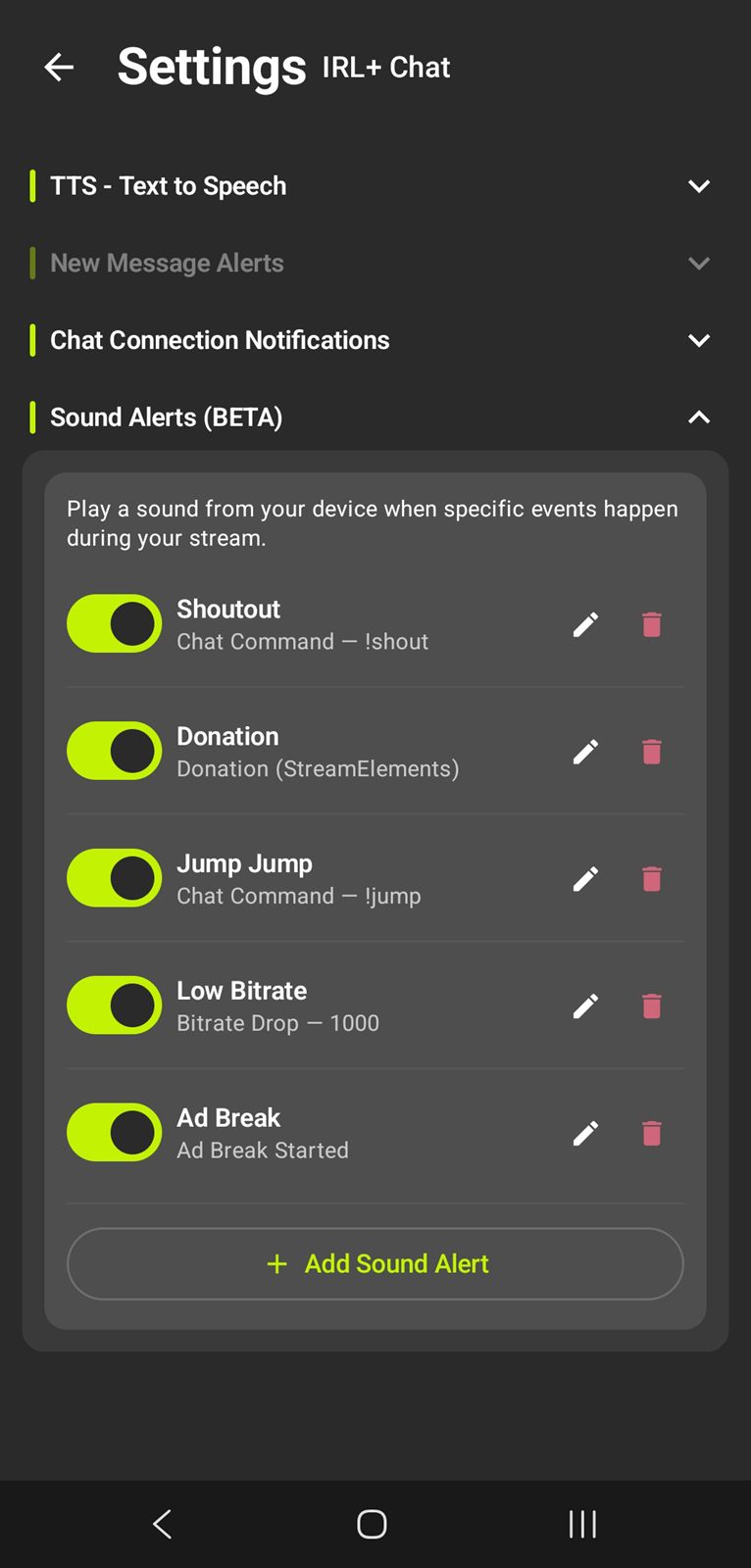
  • Sound Alerts on stream events
  • New message and connection notifications

Raid Tools

Find somewhere to send your viewers without digging through a browser.

  • Native Raid tab
  • Live channels you follow
  • Search and pull to refresh
  • Add via onboarding or Browser Source settings

App Lock & Landscape

Built for a phone in a pocket, on a gimbal, or in a rig.

  • Lock the app with a swipe slider
  • Full landscape layout
  • Respects the navigation bar
  • Samsung pop-up view stays interactive
  • Drawers auto-close on rotation

Setup & Portability

Get running quickly, then carry your setup between devices.

  • Step by step setup wizard
  • Export and import all settings
  • Share configs with other streamers
  • Platform QR code display
  • Diagnostic log export, sensitive data redacted

Showcase

Text-to-Speech settings Text-to-Speech
IRL+ Chat Stream Manager side panel Stream Manager
Twitch poll running in IRL+ Chat Polls & Predictions

OBS WebSocket Integration

Full control over your OBS Studio setup directly from your Android device.

Stream Control

  • Start/stop streaming
  • Start/stop recording
  • Real-time connection status

Scene Management

  • Switch between scenes
  • View current scene
  • Scene dropdown selection

Source Control

  • Toggle source visibility
  • Scene-specific sources
  • Source dropdown selection

Audio Control

  • Mute/unmute audio sources
  • Multi-source support
  • Quick toggle access
OBS WebSocket controls inside IRL+ ChatOBS Controls

Twitch Chat Moderation

Powerful moderation tools designed for streamers who need quick, effective chat management.

moderation_panel.exe

Quick Actions

  • Toggle Sub-Only Mode
  • Toggle Follower-Only Mode (with duration)
  • Toggle Slow Mode (customisable duration)
  • Toggle Emote-Only Mode
  • Clear entire chat (broadcaster only)
  • Send custom chat messages

Per-Message Actions

  • Delete single messages
  • Timeout users
  • Permanent bans
  • Long-press context menu
  • Automatic permission detection

Alerts & Integrations

Native StreamElements alerts, browser source support, Twitch alerts and real-time session stats, all built in.
Alerts & Session Stats

  • Native SE Alerts: StreamElements alerts displayed directly in-app
  • Browser Sources: Add custom browser source tabs for overlays and widgets
  • Twitch Alerts: Built-in support for Twitch native alerts
  • Session Subs: Track new subscribers during your current stream
  • Focus Bar Display: Show stats in top or bottom bar
  • Auto-Refresh: Real-time updates
Sound Alerts settings for stream events

Fully Customisable

Make the app work exactly how you want it. Every feature is configurable, with full theme support and export/import of all your settings.

Chat Appearance

  • Font size adjustment
  • Show/hide timestamps
  • Username highlighting
  • Message highlighting rules
  • Emote provider toggles

Action Buttons

  • Custom colour palette picker
  • Light grey or white text
  • Custom button names
  • Cooldown timers (0-60s)
  • Category organisation
  • Grid or floating mode

Focus Bar

  • Top & bottom bar positions
  • 3 sections per bar (L/M/R)
  • Multiple stat types, including custom SRT
  • Enable/disable per bar
  • Auto-refresh intervals

TTS Settings

  • Voice selection
  • Channel selection
  • Username filtering
  • Prefix filtering
  • Queue size (5-20)
  • Audio behaviour

Themes & Export

  • Built-in themes
  • Custom theme creation
  • Export all settings to file
  • Import settings from file
  • Share configs with other streamers
0
Features
0
Platforms
0
Emote Providers
Customisation

System Requirements

minimum_specs.sh

# Minimum Requirements

  • Android 8.0 (Oreo) or higher
  • 50MB free storage
  • Internet connection
  • A Twitch, Kick and/or YouTube account
recommended_specs.sh

# Recommended

  • Android 10.0+ for best performance
  • 100MB free storage
  • Stable Wi-Fi or 4G/5G connection
  • OBS Studio 28+ (for OBS features)
  • StreamElements account (for session stats)